
ChatGPT, Claude, and Gemini are powerful AI tools. Their business and team plans provide shared workspaces, basic administration, knowledge features, and usage reporting. But they are still general-purpose, single-provider platforms, not systems designed around agency teams, client knowledge, delivery workflows, and measurable ROI.
Agencies need those capabilities brought together around how agency work actually runs: multiple model providers, separate agency and client knowledge, shared production standards, repeatable workflows, connected tools, and visibility into what creates value.
The real problem? General AI tools still aren't built around agencies
In many agencies, AI still lives across individual accounts and lightly managed team workspaces. Everyone has their own prompts, processes, context, and definition of what “good” looks like. Even when billing is centralized, the work itself often is not. The result is fragmented adoption, inconsistent output, and no clear operating model for scaling what works.
What's actually breaking:
- Quality varies by user
- Agency and client context stays fragmented
- Process standards are difficult to manage across teams and clients
- Usage and spend are hard to connect to business value
Business and team plans solve part of the problem. Agencies still need an operating layer designed around their clients, workflows, tools, and economics. Here's what that requires.
The 6 components of an AI platform for agencies
- Models: Access the right model
- Knowledge: Agency and client context
- Prompt library: Shared, versioned team prompts
- Workflows: Structured process and approvals
- Integrations: Connected tools and handoffs
- Dashboard: Usage, cost, and ROI
1. AI Models
New AI models are being released monthly. The goal isn't to pick one. It's to choose the right model. Access multiple models, compare outputs, match the best fit to each task.
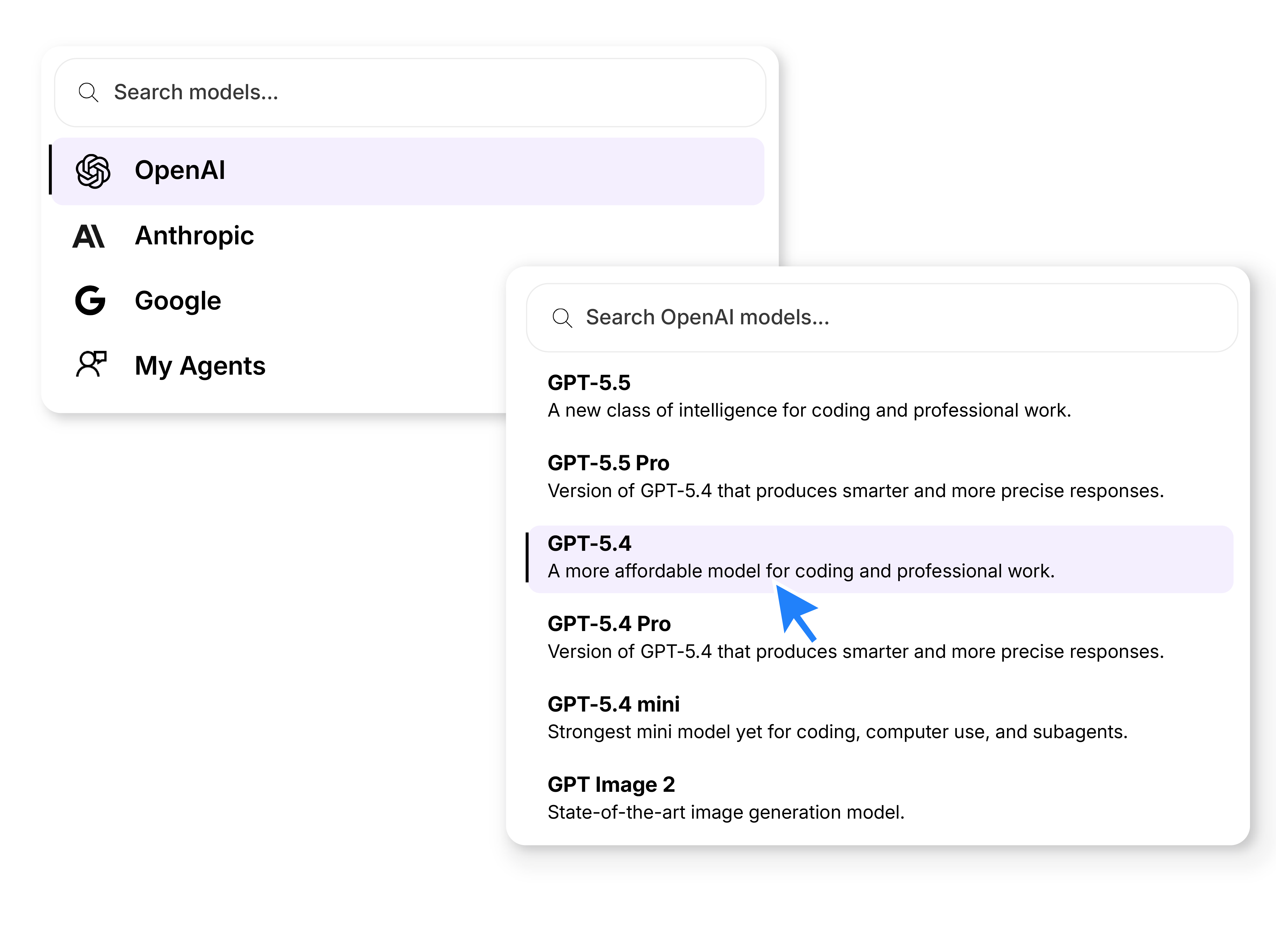
Why agencies need multiple AI models
- Side-by-side model comparison
- Different models are better at different tasks
- Sanity checks and validation for outputs
Models are important, but they're only engines. Quality depends on what they know.
2. AI Knowledge
AI Knowledge gives every response the client context your agency depends on. With secure access to approved brand guides, past work, campaign details, audience insights, and more, responses are accurate, on-brand, and useful.
You wouldn't hand a copywriter a brief without context, examples, and brand guidelines. AI needs the same. The difference: AI stays consistent at scale.
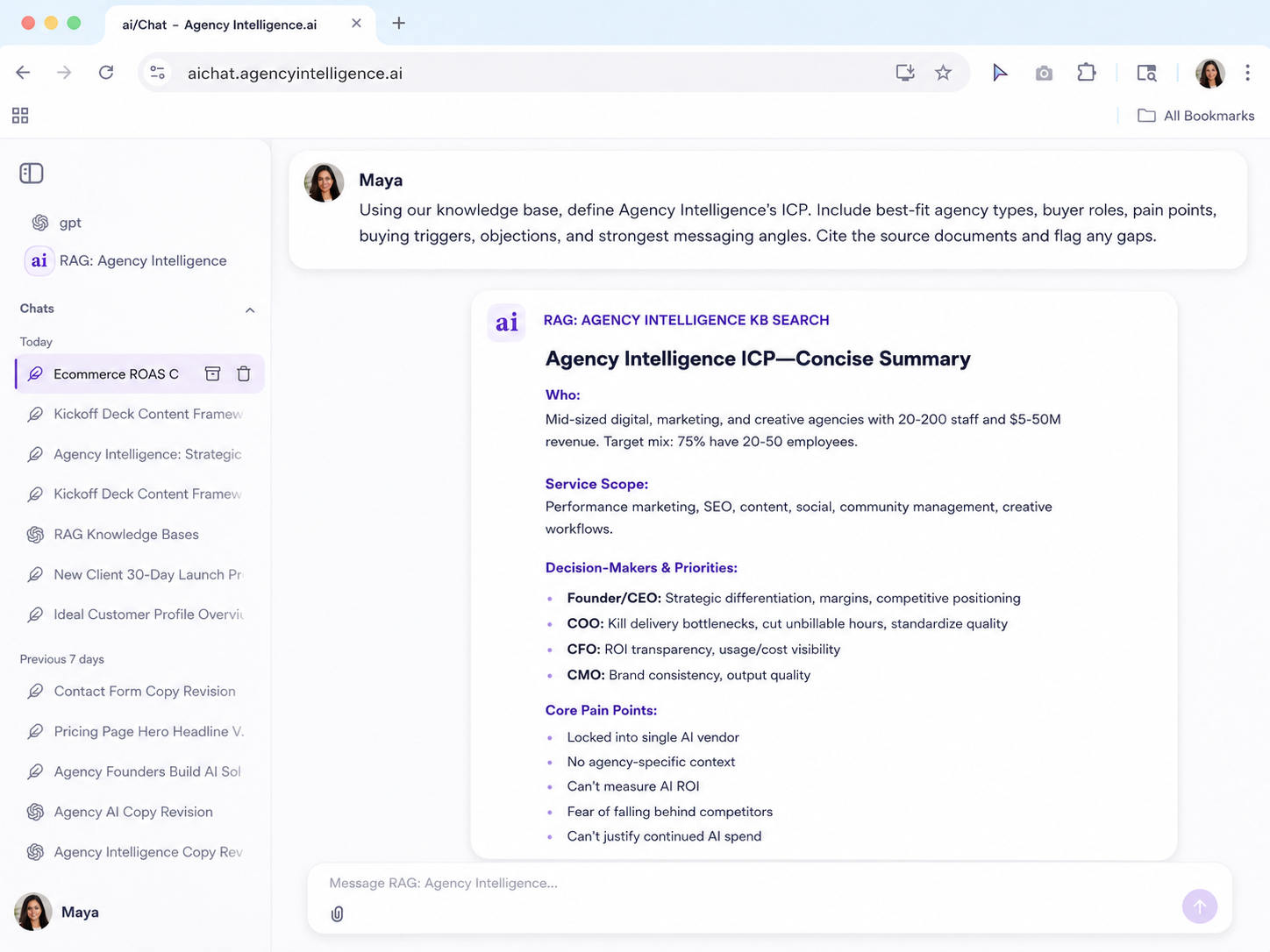
What to include in your knowledge base
- Target audience and key personas
- Value proposition and key differentiators
- Brand guidelines with real examples, not adjectives
- Templates, case studies, and top-performing past work
Keeping it updated
Plan for one owner per knowledge base and a refresh cadence per doc type. This prevents it from becoming a burden.
3. AI Prompt Library
A shared AI prompt library turns ad-hoc requests into repeatable processes. Instead of each person writing their own prompt or copying from an outdated source, the built-in library holds the best-performing versions.
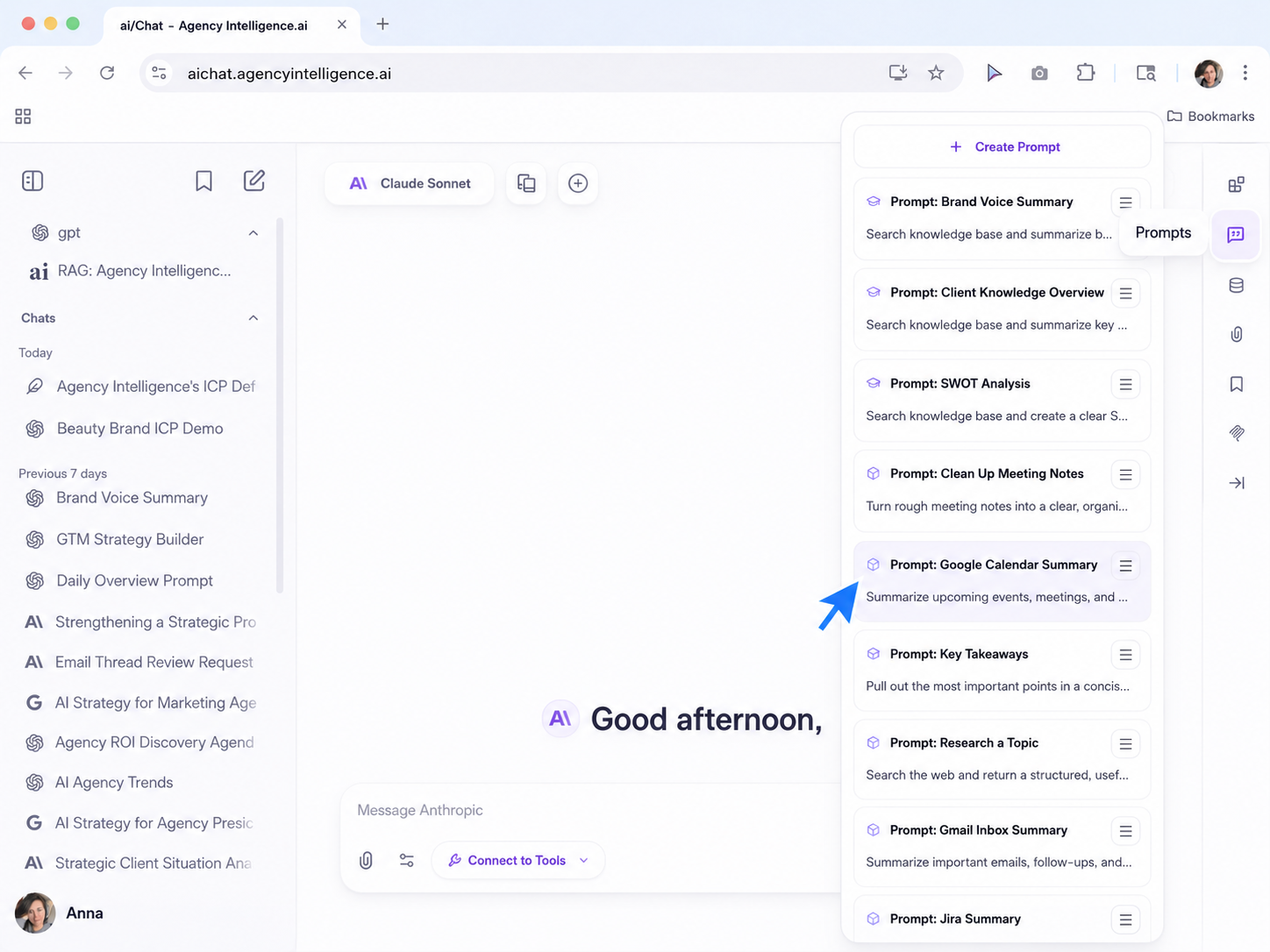
Top AI prompts for agencies
- Review my calendar and triage my inbox
- Review project status and rewrite for clients
- Clean up meeting notes and provide key takeaways
- Review scope and explain the risks
How it compounds
When a prompt works, share it. When someone improves one, everyone gets the updated version. No more copy-pasting. Over time, your prompt library becomes institutional knowledge.
4. AI Workflows
Customizable AI workflows replicate your agency processes. AI ensures consistency and structure. Humans guide, provide feedback, and approve. Together, they expedite traditional workflows and deliver higher quality results, faster.
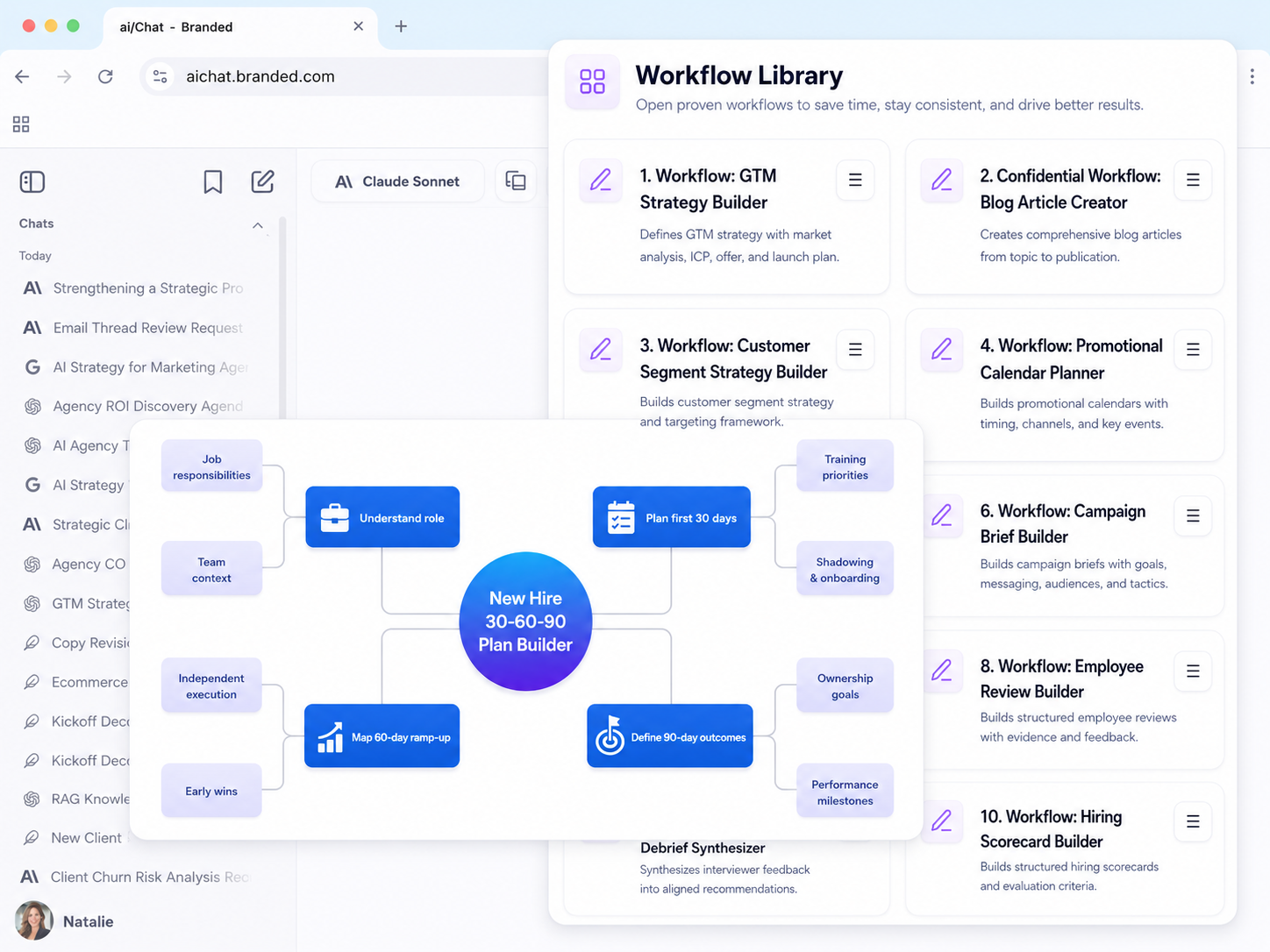
AI workflow examples for agencies
- Sales proposals/SOWs
- Campaign and creative briefs
- Weekly status reports
- SEO keyword strategy builder
How workflows deliver ROI
Human-in-the-loop agentic workflows help teams move faster through planning, drafting, review, and approval while keeping quality high.
5. AI Integrations
AI integrations are where workflows connect to Jira, HubSpot, Slack, Google Analytics, Semrush, Notion, Google Drive and hundreds of other common agency tools.
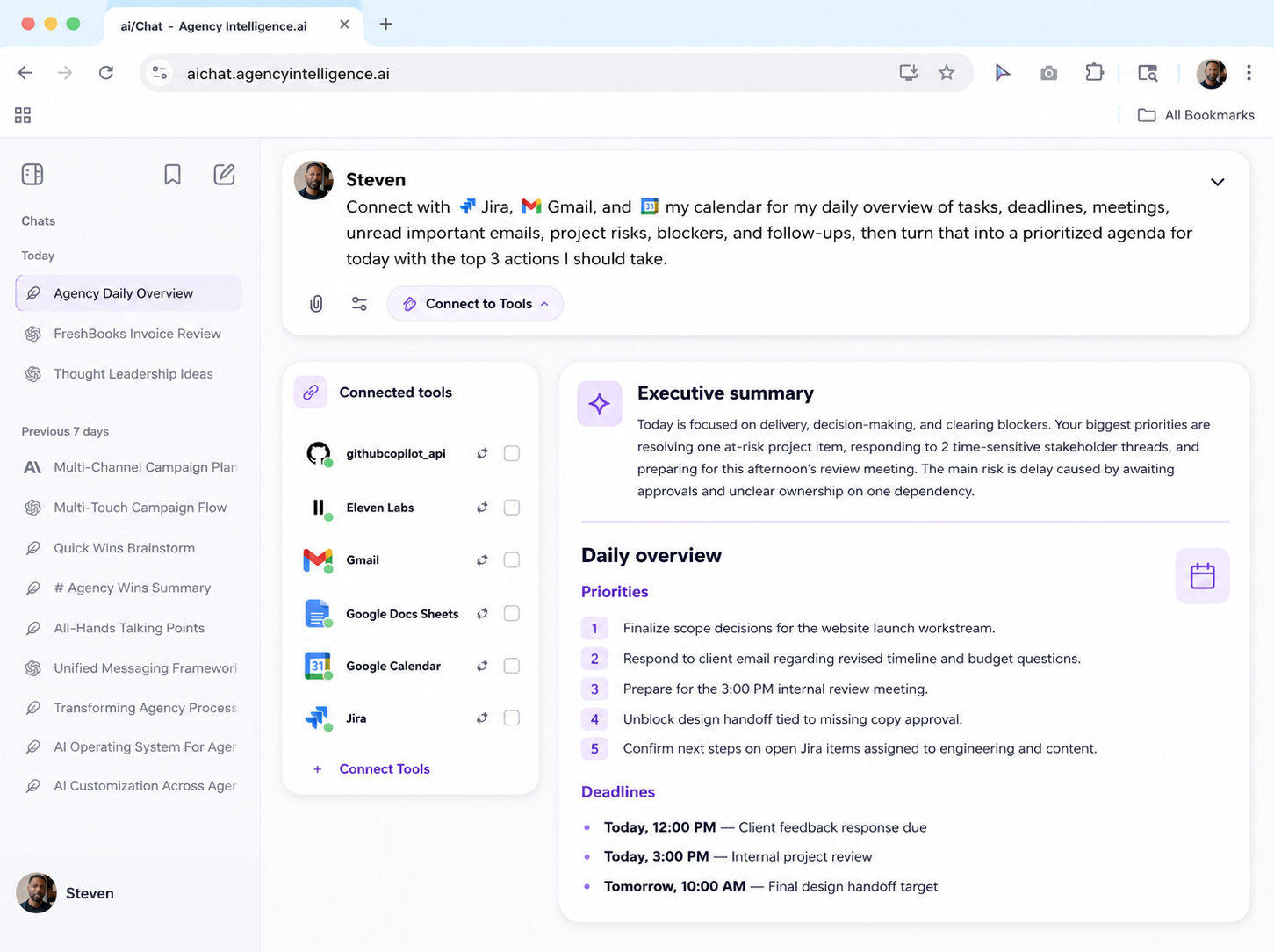
How AI integrations unlock automation
- Connect AI to the tools your team already uses
- Pull data, update records, and trigger actions
- Standardize repeatable workflows
What this actually means
Connect your existing agency software to power agentic workflows that use real-time data and eliminate manual work.
6. AI Dashboard
An AI Dashboard is the intelligence that turns AI activity into real operating data. Adoption, spend, workflow performance, and user feedback in real-time.
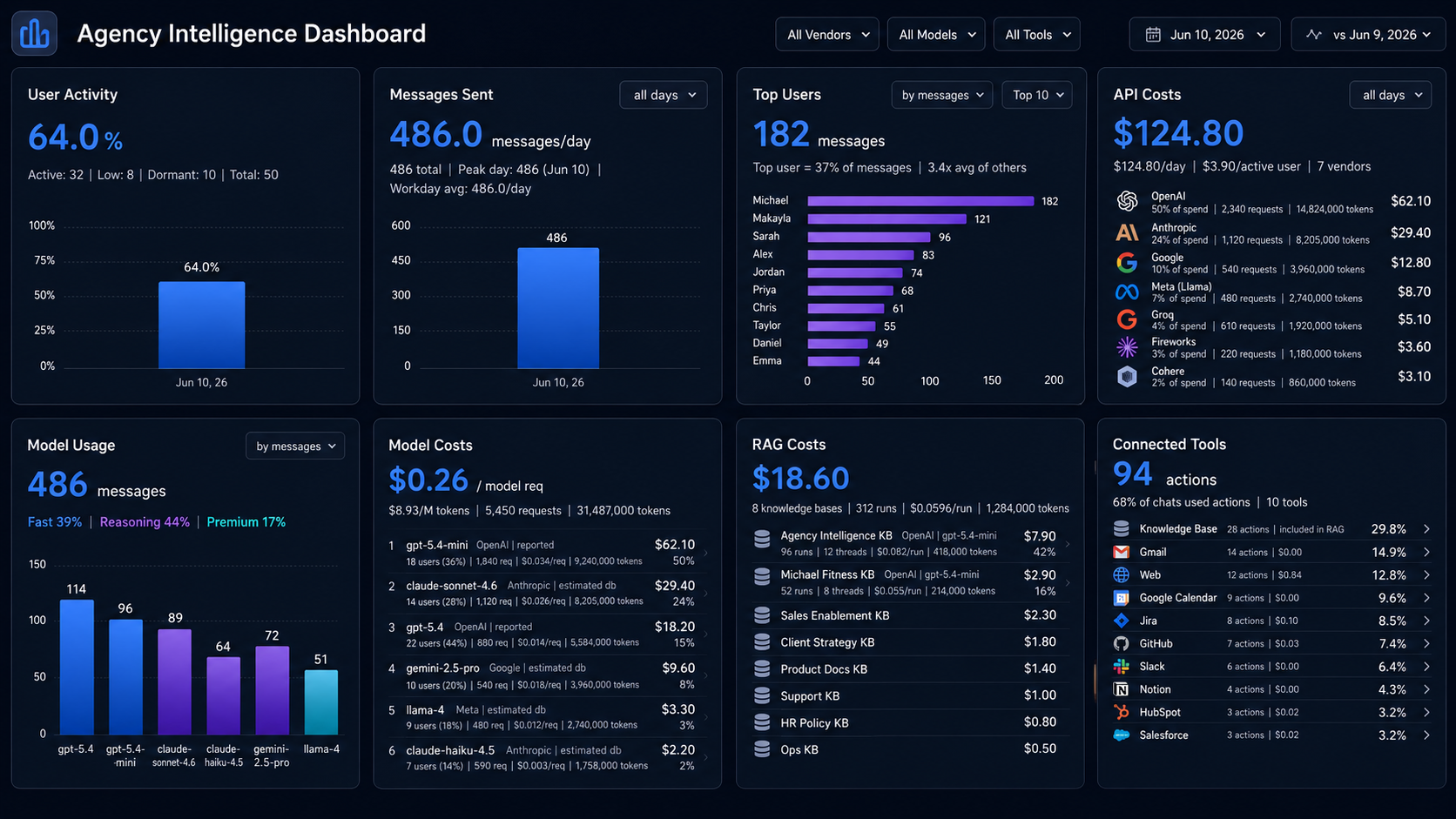
How to measure AI ROI
- Adoption: Who's using AI and how much
- Usage: Which workflows are being used
- Costs: Spend by user, workflow, and model
- Feedback: User feedback with comments
Real-time visibility into adoption, costs, and workflow performance. Real ROI, no guessing.
Ready to get started?
Get access to multiple AI models, governed knowledge, repeatable workflows, integrations, and ROI visibility. Free for 30 days. Full platform access for unlimited users, 3 knowledge bases, and 10 custom agency workflows.